About this template
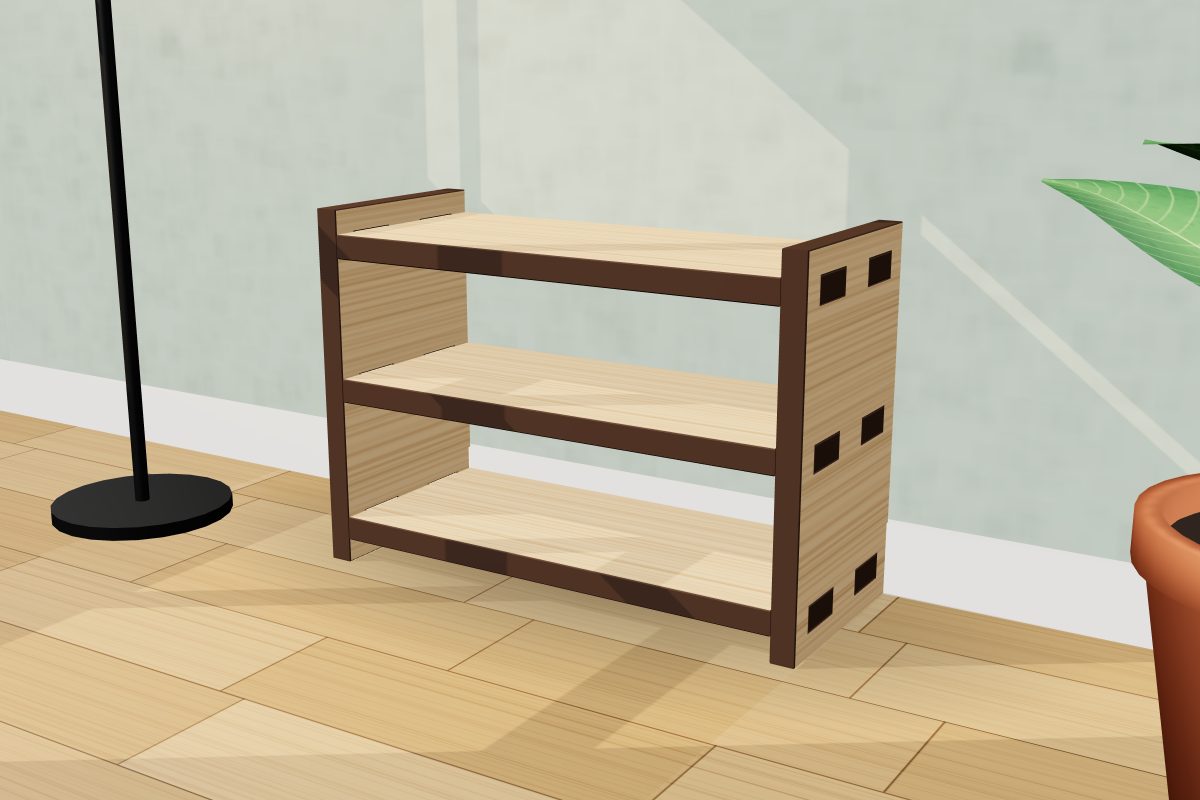
The rack is open at the back, as most shoe racks are, so it is only two sides and the shelves: five parts at the default size. Switch the back panel on if you want it to stand against a wall as a small cabinet. At 1:12 scale the default is 65 mm wide and 45 mm high, a 780 mm hallway rack.
Change any size above and the 3D model, the flat layout and the download all update together. The layout prints at true size on A4, US Letter, A3; a part larger than the paper is split across pages with a 10 mm overlap.
Sizes you can set
| Setting | Default | Range |
|---|---|---|
| Width | 65 mm (2.56 in) | 30 to 200 mm |
| Height | 45 mm (1.77 in) | 30 to 150 mm |
| Depth | 26 mm (1.02 in) | 15 to 80 mm |
| Shelves | 3 | 2 to 5 |
| Back panel | Off | On or off |
Ready-made sizes
| Preset | Width | Height | Depth |
|---|---|---|---|
| 1:6 scale | 130 mm | 90 mm | 52 mm |
| 1:12 scale | 65 mm | 45 mm | 26 mm |
| Tall, 1:12 | 50 mm | 85 mm | 26 mm |
What you need
Materials
- Sheet material: 3 mm plywood, 2 mm MDF, or 1 to 1.5 mm thick card
- Wood glue or craft glue
Tools
- Laser cutter, or a printer and a craft knife
- Calipers or a ruler, to measure the sheet thickness
How to build it
About 15 min once the parts are cut. Difficulty: easy.
- Cut all parts. Use the SVG file on a laser, or print the PDF, stick it to the board and cut by hand.
- Test one shelf tab in one slot first. Adjust the kerf setting if the fit is wrong.
- Lay one side flat and stand every shelf in its slots with a little glue.
- Press the second side onto the shelf tabs and stand the rack on a flat surface while the glue sets.
Files you can download
- PDF: true-size pages for a home printer (A4, US Letter, A3), with a 50 mm bar to check the scale.
- SVG for laser cutters: cut lines red, fold lines blue, labels green.
- SVG for Cricut and Silhouette: cut, score and draw lines in separate groups, without text.
- DXF: for CAD, CNC and laser software, in millimetres on CUT, FOLD and MARK layers.
- PNG or JPEG: the printable pages as 300 dpi pictures.